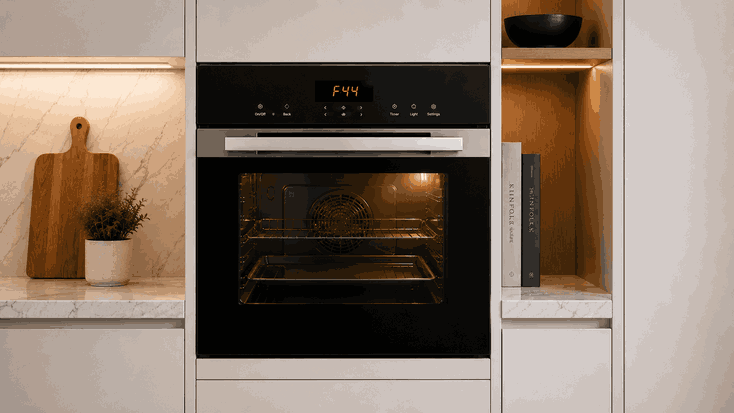
A Fisher and Paykel oven display won’t turn on problem usually appears before any cooking function can begin. The oven may be completely dark, the clock may disappear, the buttons may not respond, or the display may light briefly and then shut off again.
For San Jose homeowners, this can make the oven seem fully dead even if the issue is only affecting the control panel. The cause may be a power interruption, tripped breaker, control lock setting, display failure, control-board fault, wiring issue, or internal power problem.
Before a Fisher and Paykel oven can preheat, bake, broil, or run a timed function, the control system must wake up. The display is part of that startup sequence. It shows time, temperature, cooking mode, alerts, and user input.
When the display stays dark, the oven may not be receiving power, the control panel may not be responding, or the internal control system may not be passing the startup signal. In some cases, the oven may have power to certain parts while the display itself does not work.
The pattern of the failure matters. If the oven is completely dark, the issue may involve the breaker, outlet, hardwired power supply, fuse, or internal power path.
If the display flickers, fades, or turns on briefly, the oven may be reacting to unstable power, a failing control board, or a weak display module.
If the display works but buttons do not respond, the issue may involve control lock, touchpad response, moisture near the controls, or user-interface failure.
If the display went out after a power outage, cleaning, self-clean cycle, or breaker reset, that timing is important for diagnosis.
A display problem may develop gradually before the oven stops responding completely:
Clock disappears or resets
Display flickers during use
Controls respond slowly
Oven powers on only sometimes
Buttons beep but nothing changes
Display goes dark after preheat
Breaker trips during operation
Oven light works but display stays off
These details help separate a household power issue from an oven-level control fault or display fault.
Some display problems begin outside the oven. A tripped breaker, loose power connection, power outage, or GFCI-related interruption can stop the control panel from waking up.
Other issues are related to settings or user controls. A control lock feature may make the oven seem unresponsive. Moisture, grease, or residue near the control area can also affect touch response on some models.
Repair-level causes are different. A failed display board, control-board problem, damaged touchpad, internal fuse issue, wiring fault, relay problem, or power-module failure can keep the display from turning on even when the oven has power.
If the display stays dark after basic checks, the problem should be diagnosed rather than repeatedly reset.
Start with safe visible checks. Check the breaker and reset it only once if it has tripped. If it trips again, stop using the oven and request service.
If the oven uses a visible plug, make sure it is fully seated. Many wall ovens are hardwired, so do not try to access wiring or junction boxes yourself.
Check whether control lock is active. If the display is dim but visible, review the control settings and brightness options if your model has them.
Wipe the visible control area gently with a soft, dry cloth if there is moisture or residue.
Do not remove panels, test voltage, inspect wiring, replace boards, or open electrical compartments. If the oven is gas-powered and you notice a strong gas smell that does not fade, stop using the appliance, ventilate the area, and contact the proper gas emergency service before appliance repair.
Resetting the breaker may restore the display briefly, but it does not repair a failing control board, unstable power connection, damaged display module, or internal electrical fault.
If the oven display keeps going dark, flickers, or trips the breaker again, continued use can make the issue harder to track and may create a safety concern. The pattern of when the display fails is more useful than repeated resets.
Bestech Repair approaches a Fisher and Paykel oven display won’t turn on issue by checking where the control startup sequence fails.
A technician can evaluate power entry, display response, touchpad behavior, control-board operation, relay activity, wiring communication, and related safety symptoms.
The goal is to separate a simple power interruption from a display, touchpad, or control-level fault.
An oven with a dark display can stop cooking before preheat even begins. In San Jose and Bay Area homes, this can affect daily meals, baking, and kitchen planning.
Bestech Repair provides Fisher and Paykel oven repair in San Jose and the Bay Area, including display failures, no-power problems, control faults, heating issues, temperature problems, door-lock concerns, and cycle interruptions.
A Fisher and Paykel oven display won’t turn on issue may be caused by a tripped breaker, power interruption, control lock, dim display setting, failed touchpad, display-board fault, control-board failure, wiring issue, or internal power problem.
Homeowners can safely check the breaker once, visible plug if accessible, control lock, and control-panel surface. If the display stays dark or the breaker trips again, professional oven diagnosis is the safer next step.
Bestech Repair – San Jose, CA
📍 Address: 919 S Winchester Blvd, San Jose, CA 95128
📧 Email: office@bestechrepair.com
📞 Phone: +1-408-906-8668
🕒 Open Hours: Monday – Sunday: 8:00 AM – 8:00 PM.
Read reviews about our repair, installation and maintenance services. Our trained experts are always ready to help. To schedule your next appointment, give us a call or complete our online form.

Leave your contact details for communication with the operator, indicate a convenient date for yourself and our operators will contact you or call us: