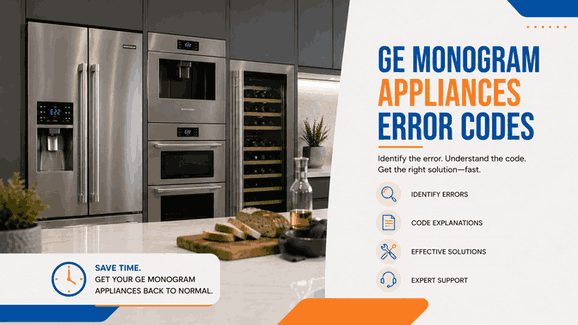
A GE Monogram error code is usually most helpful when it is read together with the way the appliance is actually performing. The display may show only a short warning, but the real meaning often appears through changes in normal use. A dishwasher may leave water behind. A range or wall oven may stop responding correctly during cooking. A microwave or Advantium unit may power on but behave unpredictably. A refrigerator may look normal at first while cooling is no longer doing what the household expects.
For homeowners in San Jose and across the Bay Area, these alerts are best understood as signs that one of the appliance’s key systems is losing stability. In many cases, the code does not identify one exact failed component by itself. Instead, it points to the function that is under stress. That may involve draining, filling, temperature sensing, overheating protection, door-lock response, control behavior, or power-related conditions.
This matters even more with premium kitchen appliances because the first sign of trouble is often reduced reliability rather than complete failure. The unit may still turn on and appear partly functional while the performance that made it valuable in the first place is already slipping. That is why repeated GE Monogram warnings should be treated as operating signals, not just display messages.
Many appliance problems begin before the appliance fully stops. A one-time code can sometimes follow a temporary interruption, but a warning that keeps coming back usually means something more important is changing inside the unit.
With GE Monogram appliances, repeated alerts often matter because they show that the appliance is no longer performing consistently. A dishwasher may keep failing at the same stage. A cooking appliance may continue to beep, reject commands, or act unpredictably. A refrigerator may appear active while cooling is not actually being maintained the right way. At that point, the code becomes less about the display itself and more about whether the appliance can still be trusted in normal daily use.
Across this brand, recurring warnings often point to a few major patterns: water-handling problems, control and sensor instability, heat-related faults, door-lock issues, and power or wiring irregularities.
For GE Monogram dishwashers, one of the most important code families is:
C1 / C3 / C5 / FTD / F56
These alerts usually point to a dishwasher that is taking too long to pump out water, failing to drain fully, or stopping during the drain part of the cycle. In real kitchen use, that may look like standing water in the tub, a cycle that stops before completion, or a machine that no longer finishes cleanup the way it should.
Water fill, level, and pressure sensor codes: C4 / H2O / PrS
Leak detection and flood protection codes: LEAK DETECTED / 999
Temperature sensor-related codes: C7
What makes these warnings important is not only the wording behind them. It is the effect they have on cycle reliability. Once the dishwasher stops draining, filling, or sensing conditions properly, the unit may still start, but it is no longer dependable in normal use.
For GE Monogram ranges and wall ovens, one of the central code groups is:
F0 / F1 / F5 / F6 / F7 / F8 / F9 / FC / FF
These warnings usually point to key panel trouble, electronic control faults, or door-lock circuit issues. In practical use, that may mean the oven or range no longer responds correctly, interrupts operation, or struggles to complete cooking functions safely and predictably.
Oven temperature and sensor-related codes: F2 / F20 / F3 / F4
Cooling fan, probe, and internal component codes: F350 / FD / F96 / F97 / F7X
Power and wiring warning: Bad Line
These alerts matter because they affect trust. A premium cooking appliance is expected to deliver steady heat, accurate control response, and dependable performance. Once that consistency starts slipping, the code is already tied to a real kitchen problem.
For GE Monogram microwaves, the main family here is:
F1 / F2 / F3 / F4 / F5 / F6 / F10 / Probe
These alerts usually point to thermal-sensor faults, humidity-sensor problems, touch-panel issues, probe trouble, or excess heat inside the microwave cavity. In daily use, that can mean the appliance stops responding normally or fails to complete certain cooking functions the right way.
Another microwave-related warning may include:
18 power watch code
For GE Monogram Advantium 240V units, one of the main groups is:
F1 / F2 / F3 / F4 / F6
These warnings usually point to open or shorted sensors, touch-pad problems, humidity-sensor faults, or high cavity-temperature conditions. If the same alert keeps returning, the issue usually goes beyond a simple interruption and starts affecting dependable operation.
What links microwave and Advantium warnings together is the loss of predictable electronic coordination. The appliance may still have power, but it may no longer behave in the stable way the household expects.
For GE Monogram refrigerators, the key code family here is simple but important:
DE
This code usually means demo mode is active, so lights and controls may still work while cooling is disabled. In real home use, that can make the refrigerator seem partly normal even though it is not maintaining the temperatures needed for food protection.
That is what makes this type of warning important. The appliance may look active on the outside, but the function that matters most — stable cooling — may not be working at all.
When a GE Monogram code appears, the most useful first step is to compare the warning with what the appliance is actually doing.
If the dishwasher is leaving water behind, if the range or oven is overheating or ignoring commands, if the microwave or Advantium unit is shutting down or acting unpredictably, or if the refrigerator is no longer cooling the way it should, the appliance is already giving the real context behind the alert.
That is why repeated codes matter most. Once the same warning keeps coming back and the same operating issue keeps returning, the appliance is usually dealing with more than a brief interruption. One of its core systems is already losing stability.
GE Monogram error codes are most useful when they are treated as early warnings of changing appliance reliability. They may not identify the exact failed component by themselves, but they often show which function is under stress and whether the appliance can still be trusted in normal use.
For customers in San Jose and throughout the Bay Area, professional in-home service can help connect the recurring code to the actual symptom, identify why the warning keeps returning, and determine the next repair step for the appliance.
📍 Address: 919 S Winchester Blvd, San Jose, CA 95128
📧 Email: office@bestechrepair.com
☎️ Phone: (408) 906-8668
This GE Monogram appliance error code table organizes each GE Monogram fault code by product type, listed meaning, initial check, technician service note, and related help when available. It includes GE Monogram dishwasher, range, wall oven, microwave, Advantium, and refrigerator error codes, so each display message can be matched with the correct table row and reviewed with Monogram’s official Support & Service page, GE Appliances’ Range & Wall Oven Fault Code Guide, and Dishwasher Error Code Guide.
| Error Code | Appliance | Meaning | Safe first steps | Technician required | Related help |
|---|---|---|---|---|---|
| DE | Referigerator | Demo mode is active; lights and controls work, but cooling is disabled. | Unplug the refrigerator for 1–2 minutes, then plug it back in. | Yes — if DE is still displayed after that official power-cycle step; GE says to contact support with the model number. | |
| F1 | Oven | Open thermal sensor. | Press CLEAR/OFF or CANCEL, program control again, then disconnect power for 30 seconds and retry. | Yes — if the code appears again; GE recommends unplugging until serviced. | |
| F6 | Oven | High cavity temperature detected. | Press CLEAR/OFF or CANCEL, program control again, then disconnect power for 30 seconds and retry. | Yes — if the code appears again; GE recommends unplugging until serviced. | |
| F10 | Microwave | Shorted touch screen. | Shut off power at the breaker/fuse for 30 seconds, then restore power and retest. | Yes — if the code returns after the reset. | |
| F3 | Microwave | Shorted touch pad panel. | Shut off power at the breaker/fuse for 30 seconds, then restore power and retest. | Yes — if the code returns after the reset. | |
| F8 | Range / Wall Oven | Electronic control needs to be replaced. | Shut off the circuit breaker or fuse for 1–2 minutes, then restore power and retest. | Yes — if the code returns after the reset. | |
| F9 | Range / Wall Oven | A component has failed in the door-lock circuit. | Shut off the circuit breaker or fuse for 1–2 minutes, then restore power and retest. | Yes — if the code returns after the reset. | |
| F96 | Range / Wall Oven | An internal component needs to be replaced. | Shut off the circuit breaker or fuse for 1–2 minutes, then restore power and retest. | Yes — if the code returns after the reset. | |
| C5 | Dishwasher | Pump-out time is too short. | Make sure the water supply is on, try the same cycle again, and tap the float cover to unstick it. | Yes — if the issue does not clear after the official retry/checks. | |
| C7 | Dishwasher | Water-temperature sensor circuit has become inoperative. | Disconnect power at the circuit breaker for about 30 seconds, then reset the dishwasher. | Yes — if the code returns after the reset. | |
| FTD / F56 | Dishwasher | Failure to drain. | Check the drain hose, air gap, and disposer for restrictions. | Yes — if the dishwasher still will not drain after those official checks. |
Read reviews about our repair, installation and maintenance services. Our trained experts are always ready to help. To schedule your next appointment, give us a call or complete our online form.

Leave your contact details for communication with the operator, indicate a convenient date for yourself and our operators will contact you or call us: