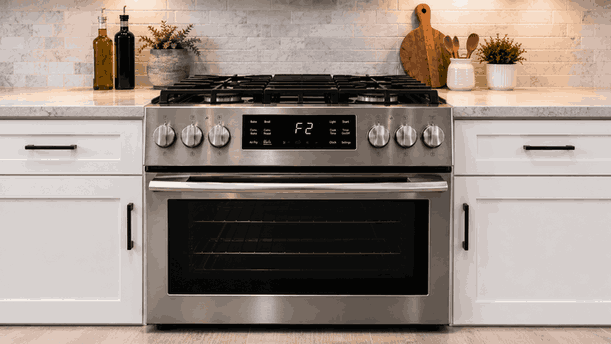
A Kenmore range control panel not working issue usually means the range has power, but the oven controls do not respond correctly. The display may stay blank, buttons may beep without action, the clock may reset, or the oven may refuse to start even when the cooktop still works.
For San Jose homes, this problem can interrupt baking, broiling, timer use, temperature selection, and oven settings. The cause may involve control lock, moisture, keypad wear, display failure, power interruption, wiring feedback, relay behavior, or electronic control-board communication.
A Kenmore range depends on the control panel to send commands to the oven system.
When a button is pressed, the keypad or touch panel must send a clear signal to the main control. The control then confirms the selected mode, temperature, timing, and safety conditions before the oven can operate.
On many ranges, the cooktop and oven controls may not fail the same way. Surface burners may still heat while the oven display, keypad, relay board, or electronic control system has a separate problem.
A Kenmore range control panel not working problem may appear suddenly after a power event or gradually through intermittent response.
Homeowners may notice:
Display is blank or dim
Buttons do not respond
Panel beeps but no function starts
Oven will not heat
Clock resets or flashes
Some keys work while others fail
Error message appears
Control lock symbol stays active
If the entire panel is blank, the issue may involve power supply, display board, wiring, or main control failure. If the display works but buttons fail, the problem may involve keypad wear, touch-panel failure, control lock, moisture, or user-interface communication.
Not every unresponsive panel means the range has a major internal failure.
Control lock, Sabbath mode, delayed start, or demo mode can make the panel seem stuck. Moisture, grease, cleaner residue, or food film on the control area can also interfere with touch response.
A recent power outage may reset the clock or leave the oven waiting for normal user input before cooking functions respond.
Repair-level causes may include a failed keypad membrane, damaged touch panel, bad display board, faulty electronic control board, relay issue, wiring fault, power-supply problem, or internal safety cutoff.
A panel that went blank after a breaker trip points in a different direction than a panel with several dead buttons. The timing helps identify whether the issue began with power, heat, moisture, or electronic wear.
Homeowners can review a few visible details without opening the range.
Check whether the display is blank, frozen, dim, or partly responsive. Note whether the oven, timer, clock, lights, and cooktop are affected.
Make sure the control area is clean, dry, and cool. Look for control lock, Sabbath mode, delayed-start, or demo indicators if the display still works. Also note whether the issue began after cleaning, heavy oven use, self-clean, a power outage, or a breaker event.
Do not remove panels, test wiring or voltage, bypass safety devices, force buttons, reset the breaker repeatedly, or keep using the range if it smells burnt, sparks, overheats, or trips power.
Pressing the same controls repeatedly usually does not restore a failed keypad, display board, wiring path, or control board.
If the Kenmore range control panel not working issue continues after visible setting and surface checks, stop repeated attempts. Continued pressing and resetting can hide the original failure timing and may place extra stress on electronic components.
Bestech Repair checks whether the failure begins at the keypad, display, power response, relay system, or main electronic control.
A technician can evaluate display behavior, keypad response, control-lock status, oven command response, relay activity, wiring condition, power-related symptoms, and control-board communication.
The goal is to separate a visible setting, moisture, or temporary power issue from a Kenmore range keypad, display board, relay, wiring, power-supply, or electronic control fault.
A range with a non-working control panel can make the oven unreliable even if the cooktop still operates. Bestech Repair provides Kenmore range repair in San Jose for control panel failures, display problems, oven heating issues, burner problems, error codes, and power-related range faults.
A Kenmore range control panel not working issue may be caused by control lock settings, moisture, cleaner residue, keypad wear, display-board failure, power interruptions, relay problems, wiring faults, safety cutoffs, or control-board failure. Homeowners can safely check display behavior, visible settings, control surface condition, affected functions, and when the problem started. If the panel still does not respond, professional diagnosis is the safer next step.
Bestech Repair – San Jose, CA
📍 Address: 919 S Winchester Blvd, San Jose, CA 95128
📧 Email: office@bestechrepair.com
📞 Phone: +1-408-906-8668
🕒 Open Hours: Monday – Sunday: 8:00 AM – 8:00 PM.
Read reviews about our repair, installation and maintenance services. Our trained experts are always ready to help. To schedule your next appointment, give us a call or complete our online form.

Leave your contact details for communication with the operator, indicate a convenient date for yourself and our operators will contact you or call us: