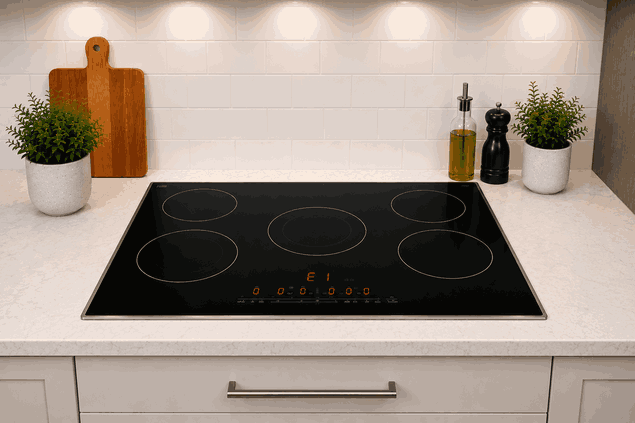
An LG electric cooktop not heating problem often becomes clear when one burner stays cold, heats weakly, cycles on and off too soon, or does not respond after the control is turned on. In some cases, the cooktop display works, but the surface element never reaches the expected temperature.
For San Jose homeowners, this issue can interrupt daily cooking quickly. The cause may be simple, such as cookware placement or a control setting, but it can also involve a failed surface element, burner limiter, switch, sensor, wiring path, or control-board response.
An LG electric cooktop has to send controlled power to the selected heating zone. The appliance must recognize the burner selection, respond to the heat level, and regulate the surface element so it heats safely.
When the cooktop does not heat, the failure may happen at different points in that process. The control may not be sending the signal, the element may not be responding, or the cooktop may be limiting heat because it detects an unsafe or abnormal condition.
This is why an LG electric cooktop not heating issue should not be viewed only as a “bad burner.” The problem may be related to the heating element itself, but it may also come from the control system or power delivery to that specific zone.
The pattern matters. If only one burner does not heat, the issue may be isolated to that heating zone, element, limiter, or control path.
If multiple burners are weak or not heating, the problem may involve power supply, control communication, or a larger electrical issue affecting the cooktop.
If the burner heats briefly and then shuts off, the cooktop may be reacting to a limiter, sensor behavior, or control fault. If the burner heats unevenly, the issue may involve the surface element, cookware contact, or a failing heating zone.
Before the cooktop stops heating completely, you may notice changes in how it behaves:
One burner takes much longer to heat
A heating zone stays cold
The element turns on, then shuts off too quickly
Food cooks unevenly
Controls respond, but heat does not start
A burner works only on certain settings
The cooktop shows an error or indicator light
The glass surface gets warm in one area but not another
These details help show whether the issue is isolated to one heating zone or connected to the cooktop’s control or power system.
Some heating complaints begin with basic conditions. The cookware may not sit flat on the glass surface. A pan with a warped base may not transfer heat evenly. On some models, certain settings or lock features may also affect operation.
If the cooktop was recently cleaned, moisture or residue near the controls may temporarily affect touch response. If a control lock is active, the cooktop may appear unresponsive even though the appliance has power.
Repair-level causes are different. A failed radiant element, faulty infinite switch, damaged limiter, bad sensor, loose internal connection, control-board fault, or electrical supply problem can prevent normal heating.
If the same burner fails across different pans and settings, or if multiple zones stop heating, the issue usually needs proper diagnosis.
Start with the basics. Make sure the cooktop is not in control lock mode and that the correct burner zone is selected. Check whether the issue affects one burner or several.
Use flat, properly sized cookware. A pan that is too small, too large, or warped can make heating seem weak or uneven.
Let the cooktop cool, then wipe the control area and glass surface with a soft cloth if there is visible residue. Do not pour water over the controls.
If the breaker recently tripped, reset it only once. If it trips again, stop using the cooktop and request service.
Do not remove the cooktop, open panels, test voltage, inspect wiring, or replace heating elements yourself. Electric cooktops involve high-voltage components and should be diagnosed with proper tools and training.
Turning the same burner on repeatedly may not fix the cause. If the element, limiter, switch, or control board is failing, repeated heating attempts can add stress to the cooktop and may make the fault more consistent.
If there is an unusual smell, visible damage, sparking, breaker tripping, or a hot spot that does not match the selected burner, stop using the appliance. These signs can point to a safety concern that should not be ignored.
Bestech Repair approaches an LG electric cooktop not heating issue by checking how the appliance behaves from the control input to the heating response. A technician can evaluate burner selection, heat-level response, surface element operation, limiter behavior, switch function, sensor feedback, wiring communication, and control-board output.
The goal is to identify whether the problem is a simple user-side condition, an isolated burner fault, or a deeper electrical/control issue. This helps restore reliable cooktop operation without unnecessary part replacement.
In San Jose homes, an electric cooktop that will not heat can quickly disrupt meal prep, especially when only one main cooking zone is available or the cooktop is used daily.
Bestech Repair provides LG cooktop repair in San Jose, including electric cooktop heating failures, burner problems, control issues, error indicators, uneven heating, and related appliance faults.
An LG electric cooktop not heating issue may be caused by cookware contact, control lock settings, a failed surface element, limiter problem, switch fault, sensor issue, wiring fault, control-board failure, or power-supply concern. Homeowners can safely check settings, cookware, visible residue, and breaker status once. If the cooktop still will not heat, professional diagnosis is the safer next step.
Bestech Repair – San Jose, CA
📍 Address: 919 S Winchester Blvd, San Jose, CA 95128
📧 Email: office@bestechrepair.com
📞 Phone: +1-408-906-8668
🕒 Open Hours: Monday – Sunday: 8:00 AM – 8:00 PM.
Read reviews about our repair, installation and maintenance services. Our trained experts are always ready to help. To schedule your next appointment, give us a call or complete our online form.

Leave your contact details for communication with the operator, indicate a convenient date for yourself and our operators will contact you or call us: