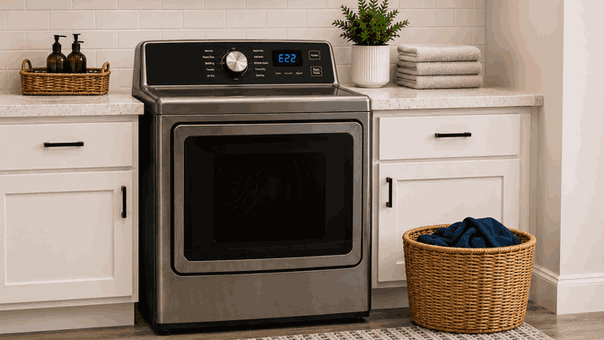
A Samsung dryer error code won’t clear issue usually means the dryer control still detects an active fault after Cancel, Power, or a basic restart. The display may keep showing the same code, the dryer may beep, refuse to start, stop mid-cycle, or return the error as soon as a drying program begins.
For San Jose homes, this problem can interrupt laundry even when the dryer still has power. The cause may involve airflow restriction, door-switch feedback, moisture sensing, heating response, motor behavior, temperature protection, wiring, or electronic control communication.
A Samsung dryer error code usually stays active when one monitored system is still outside its expected range.
The dryer may store an error after detecting a problem, but the code may also return because the same condition is still present. Turning the dryer off can stop the display briefly, but it does not repair the airflow, heat, motor, sensor, or control issue behind the message.
If the code returns immediately, the dryer is likely still receiving an abnormal signal. That may involve a blocked vent path, open-door feedback, overheating protection, failed sensor input, motor response problem, or control-board communication fault.
A Samsung dryer error code won’t clear problem may appear at startup, during heating, while tumbling, or near the end of the cycle.
Homeowners may notice:
Error code stays on the display
Dryer will not start a new cycle
Code returns after Power or Cancel
Dryer starts, then stops quickly
Drum does not turn normally
Clothes remain damp
Dryer runs hot or shuts down
Filter, vent, door, or sensor warning appears
If the code appears before the drum turns, the issue may involve the door switch, motor start, belt switch, or control input. If the code appears after heating begins, the problem may involve airflow, temperature sensing, heater response, moisture sensing, or overheating protection.
Not every persistent dryer code has the same cause.
A clogged lint filter, crushed visible vent hose, overloaded drum, wet control panel, or door that does not close fully can keep some Samsung dryer errors active. A recent power interruption may also leave the control in a confusing state until the original condition is checked.
Repair-level causes may include a failed thermistor, moisture sensor fault, heating element issue, motor problem, door-switch failure, belt switch fault, wiring problem, control-board failure, or internal airflow restriction.
If there is a burning smell or overheating, stop using the dryer and request service. Do not keep restarting the dryer to finish the load.
Homeowners can review a few visible details without opening the dryer.
Write down the exact error code before clearing the display. Clean the lint filter and check whether the visible vent hose is crushed, kinked, or blocked.
Make sure the door closes fully and the latch area is not blocked by clothing. Notice whether the code appears immediately, after the drum starts, during heating, or near the end of the cycle.
Do not remove panels, test wiring, bypass door switches, reach into internal parts, force the drum, reset the breaker repeatedly, or keep using the dryer if it smells hot, sparks, overheats, or trips power.
Turning the dryer off and on may clear the screen briefly, but it will not fix a true airflow, sensor, heater, motor, wiring, or control fault.
If the Samsung dryer error code won’t clear issue returns after one basic restart and visible checks, stop repeated attempts. Continued restarts can stress the heater, motor, thermal protection, and control system while hiding the original failure pattern.
Bestech Repair checks which part of the dryer sequence fails first: door confirmation, startup, drum movement, airflow, heating, moisture sensing, or safety shutdown.
A technician can evaluate the exact code, door-switch feedback, lint and airflow behavior, vent influence, drum rotation, motor response, heater operation, temperature sensor feedback, moisture sensing, wiring condition, and control-board communication.
The goal is to separate a simple filter, vent, load, or door issue from a Samsung dryer thermistor, heater, motor, switch, sensor, wiring, airflow, or electronic control fault.
A dryer with an error code that will not clear can leave laundry damp and make every cycle unreliable. Bestech Repair provides Samsung dryer repair in San Jose for persistent error codes, airflow warnings, heating problems, tumbling failures, overheating concerns, moisture sensor faults, and control-related dryer problems.
A Samsung dryer error code won’t clear issue may be caused by clogged filters, restricted venting, door-switch trouble, overloaded laundry, overheating protection, thermistor faults, moisture sensor problems, heater failure, motor issues, wiring faults, or control-board failure. Homeowners can safely check the exact code, lint filter, visible vent condition, door closure, startup timing, and signs of overheating. If the code keeps returning, professional diagnosis is the safer next step.
Bestech Repair – San Jose, CA
📍 Address: 919 S Winchester Blvd, San Jose, CA 95128
📧 Email: office@bestechrepair.com
📞 Phone: +1-408-906-8668
🕒 Open Hours: Monday – Sunday: 8:00 AM – 8:00 PM.
Read reviews about our repair, installation and maintenance services. Our trained experts are always ready to help. To schedule your next appointment, give us a call or complete our online form.

Leave your contact details for communication with the operator, indicate a convenient date for yourself and our operators will contact you or call us: