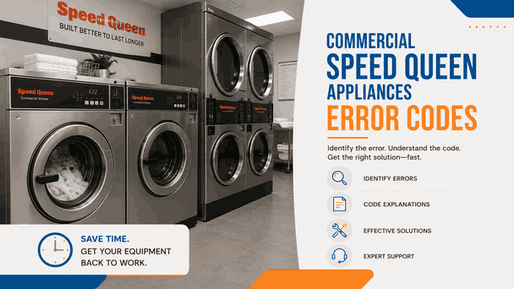
Commercial Speed Queen washers and dryers are built for repeated daily use in laundromats, apartment laundry rooms, shared laundry areas, and business laundry settings. When an error code appears, it usually means the machine cannot confirm one part of its normal operating sequence. In a commercial environment, that matters because one interrupted washer or dryer can affect customer flow, laundry turnover, and equipment availability.
For businesses in San Jose and across the Bay Area, Speed Queen commercial error codes should be compared with what the machine is doing. A top load washer may stop during fill, drain slowly, show a payment-related warning, or lose communication. A front load washer may stay locked, fail to drain, refuse to start, or stop during spin. A commercial dryer may show control or operating faults that interrupt drying cycles.
A single warning may follow a brief interruption, but repeated commercial Speed Queen error codes usually point to a system that is no longer responding reliably. In business use, the concern is not only the code itself. It is whether the machine can stay available for repeated loads throughout the day.
Common commercial Speed Queen code patterns include communication faults, coin or payment errors, fill problems, drain issues, leak detection, door or lid-lock faults, pressure-sensing errors, load-balance trouble, control response faults, and dryer operating errors.
For Speed Queen commercial top load washers, the main code group includes:
EC02 / EC03 / EC05 / EC11 / EC18 / EC19 / Right most decimal point lit — Network Communication Error / Right most decimal point lit — Water Leak Detection or Slow Drain / ALArn / oFF / Coin Error / E FL / E id / E dS / E nr / E bS / E Co
These alerts may appear when the washer cannot confirm normal communication, water movement, drainage, leak detection, payment input, lid status, or control-board response. In commercial use, that may show up as a washer that will not start after payment, stops before finishing a cycle, drains too slowly, shows a network-related warning, or becomes unavailable to customers.
Codes such as EC02, EC03, EC05, EC11, EC18, and EC19 often belong to broader control or communication-related fault patterns. A right most decimal point lit warning may indicate either a network communication issue or a water leak / slow drain condition, depending on machine context. Coin Error and payment-response warnings are especially important in laundromat or shared laundry use because they can directly affect customer operation.
Commercial top load washer codes matter most when the machine cannot complete paid cycles consistently. If the washer stops during fill, takes too long to drain, detects a leak condition, shows oFF, displays ALArn, or returns a payment-related warning, the issue can affect both machine reliability and customer experience.
For Speed Queen commercial front load washers, the main error-code family includes:
Er, do / Er, dL / Er, dr / Er, FL / Er, nF / Er, OF / Er, PS / Er, dU / Er, dl / Er, ub / left decimal point blinking
These warnings usually relate to the washer’s ability to verify door position, lock or unlock correctly, fill with water, drain water, monitor pressure, prevent overflow, or manage load balance. Front load machines depend heavily on door-lock confirmation, so door-related errors can stop operation even when the display still has power.
In commercial use, a front load washer may refuse to begin a cycle, remain locked after use, stop with water inside, fail to reach spin, or show imbalance warnings. Er, do, Er, dL, Er, dU, and Er, dl often fit the door or lock-response family. Er, dr, Er, FL, Er, nF, Er, OF, and Er, PS are more closely tied to water movement, fill behavior, drain response, overflow protection, or pressure sensing. Er, ub / left decimal point blinking usually matters when the washer cannot balance the load or complete spin properly.
A commercial front load washer with recurring door, drain, or balance codes can create repeat service interruptions. If the door remains locked, customers may be unable to remove laundry. If the washer does not drain or spin correctly, clothes may come out wet. If fill or overflow-related warnings repeat, the machine may stop before the paid cycle is complete.
For Speed Queen commercial dryers, the main code group includes:
EC02 / EC03 / EC05 / EC11 / EC18 / EC19 / EC36
These alerts may involve control communication, operating response, machine configuration, or dryer system faults that interrupt normal drying. In commercial settings, the dryer may stop before the cycle is complete, fail to respond after payment, show a control warning, or become unavailable during busy laundry hours.
A recurring dryer code should be compared with actual drying behavior. If the dryer starts but stops early, does not respond consistently, or leaves clothes damp after a normal cycle, the warning is already affecting equipment performance.
When a commercial Speed Queen code appears, compare the warning with the machine’s operating stage.
If a top load washer stops after payment, fills slowly, drains poorly, or shows a network warning, the code helps identify the affected system. If a front load washer will not lock, unlock, drain, fill, or balance correctly, the code gives direction for diagnosis. If a commercial dryer shows EC-series warnings and fails to complete drying, the issue may affect customer turnover and daily machine availability.
A one-time code may not always mean a major failure. A repeated code that interrupts paid cycles usually deserves professional service.
Commercial Speed Queen error codes help show where a washer or dryer is losing operating reliability. They may point toward network communication, water fill, slow drain, leak detection, door or lid locking, pressure sensing, load balance, payment response, control-board behavior, or dryer operating faults.
For laundromats, apartment laundry rooms, and business laundry users in San Jose and throughout the Bay Area, professional Speed Queen commercial appliance service can connect the displayed code to the actual machine behavior, identify why the warning keeps returning, and help restore dependable laundry operation.
📍 Address: 919 S Winchester Blvd, San Jose, CA 95128
📧 Email: office@bestechrepair.com
☎️ Phone: (408) 906-8668
This Speed Queen commercial error code table organizes each Speed Queen fault code by equipment type, listed meaning, initial check, technician service note, and related help when available. It includes Speed Queen commercial washer and dryer error codes, so each display message can be matched with the correct table row and reviewed with Speed Queen’s official Manuals and Downloads resource for commercial product documentation.
| Error Code | Appliance | Meaning | Safe first steps | Technician required | Related help |
|---|---|---|---|---|---|
| Coin Error | Top Load Washers | Invalid coin pulse or inoperative coin sensor. | Check the coin-drop area and remove obstructions. | Yes — if the coin sensor or security issue remains. | |
| E FL | Top Load Washers | Fill error — fill level not reached within the programmed time. | Verify incoming water supply, hoses, and screens, then retry after cycling power. | Yes — if the machine still cannot fill within spec. | |
| E id | Top Load Washers | Board ID error — incorrect replacement control / board detected. | Confirm the installed control and output board part numbers are correct. | Yes — replace the user control or output board with the correct part per the official guide. | |
| EC03 | Top Load Washers | Invalid command code for the current machine type or mode. | Verify that the uploaded / sent data matches the current machine type and mode. | Yes — if programming or payment commands still fail after the official checks. | |
| EC05 | Top Load Washers | Invalid or out-of-range programming data. | Recheck the programmed values and machine type before retrying. | Yes — if the control still rejects valid programming data. | |
| EC11 | Top Load Washers | No card-reader initialization. | Power down and power up, then retry. | Yes — if the card reader still will not initialize. | |
| EC18 | Top Load Washers | Card-reader communication lost after initialization. | Power down and power up, then retry. | Yes — replace the control or card reader if the error persists. | |
| EC18 | Front Load Washers | Card-reader communication lost after initialization. | Power down and power up, then retry. | Yes — replace the control or card reader if the error persists. | |
| EC19 | Front Load Washers | No card-reader communication. | Power down and power up, then retry. | Yes — replace the control or card reader if communication is still absent. | |
| Right most decimal point lit — Network Communication Error | Front Load Washers | Network communication problem. | Wait about 1.5 minutes for the error to clear, then power-cycle the machine if needed. | Yes — if the fault persists; check network connections or board. | |
| Right most decimal point lit — Water Leak Detection / Slow Drain | Front Load Washers | Saved warning that a leak or slow drain was detected. | Correct the leak / slow-drain condition, then clear the warning by pressing START three times within five seconds or by cycling power. | Yes — if the warning returns after the official checks. | |
| E Ld | Front Load Washers | Water-leak drain error. | Inspect for leaks and unexpected water loss, then clear the saved warning after repair. | Yes — if the machine stores repeated leak-drain faults. | |
| E nFLo | Front Load Washers | No-water-flow error. | Check incoming water flow and inspect the pressure-sensor hose for leaks, then retry. | Yes — if the machine still cannot detect water-level rise. | |
| E ro | Dryers | Locked-rotor error. | Remove the dryer from use, inspect for drum / motor bind, and retry only after mechanical check. | Yes — service the motor / drive system if the fault returns. | |
| E rot | Dryers | Rotation error. | Inspect for belt / drum / motor issues before retrying. | Yes — service the drive system if the rotation fault persists. | |
| E nS | Dryers | Motor-output-shorted error. | Power down and inspect the motor-output circuit before restart. | Yes — service the board / motor circuit if the short fault persists. |
Read reviews about our repair, installation and maintenance services. Our trained experts are always ready to help. To schedule your next appointment, give us a call or complete our online form.

Leave your contact details for communication with the operator, indicate a convenient date for yourself and our operators will contact you or call us: