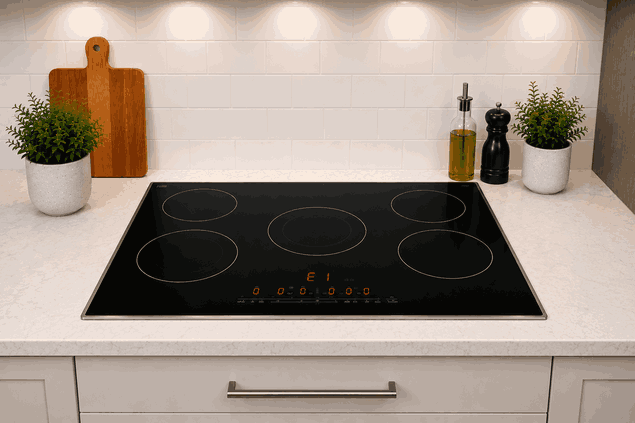
A Thermador electric cooktop D or E display automatic time limit message usually means the cooktop has stopped or limited a cooking zone because the control detected a timed safety condition, display fault, or operating limit. The surface may still have power, but one zone may shut off, refuse to restart, or show a D, E, or related indicator.
For San Jose homes, this can interrupt cooking even when the cooktop does not appear fully broken. The issue may involve automatic time-limit protection, control lock behavior, residual heat logic, touch-panel response, overheating protection, sensor feedback, or electronic control communication.
A Thermador electric cooktop monitors how long a zone runs and whether the surface remains within safe operating limits.
Many electric cooktops can shut a zone off after extended use. This helps prevent overheating, accidental operation, or unsafe long-running heat output. If the display shows a warning after a zone shuts down, the cooktop may be responding to a built-in protection feature.
A D or E display may be connected to a mode, setting, fault indicator, or control response depending on the model. If the message returns repeatedly or blocks normal use, the cooktop may need service-level diagnosis.
A Thermador electric cooktop D or E display automatic time limit issue may appear during long cooking, after a control reset, or when a heating zone is selected.
Homeowners may notice:
D or E appears on the display
A cooking zone shuts off by itself
Heat stops after extended use
Touch controls respond slowly or inconsistently
A zone will not restart right away
Display clears, then the message returns
Cooktop beeps or flashes during use
Surface feels hotter than expected
If the message appears after long operation, the automatic time limit or overheating protection may be involved. If it appears immediately at startup, the issue may point more toward control input, display communication, sensor feedback, or an electronic fault.
Not every automatic shutdown means a failed part.
A cooking zone may have been running for a long period. The control area may be wet, covered, or affected by cleaner residue. A pan may be oversized, poorly positioned, or trapping excess heat near the glass.
A control lock, demo mode, or recent power interruption may also change how the display behaves.
Repair-level causes may include a failed temperature sensor, touch-control fault, damaged display board, overheating protection fault, wiring issue, power-module problem, or control-board failure.
A cooktop that shuts off once after long use is different from one that shows the same display every time it starts. Repeated faults usually point beyond normal time-limit protection.
Homeowners can check a few visible conditions without opening the cooktop.
Let the surface cool fully. Make sure the touch-control area is clean, dry, and clear of pans, towels, utensils, or spills. Note whether the display shows D, E, or another symbol.
Check whether the message appears on one zone or the entire cooktop. Also note whether it happens after long cooking, immediately after startup, or only at higher heat settings.
Do not remove the glass top, open panels, test wiring, bypass safety functions, use the cooktop if it overheats, or keep resetting power if the same display returns.
Restarting the cooktop may clear the display briefly, but it will not fix a sensor, touch-panel, display, wiring, module, or control-board problem.
If the Thermador electric cooktop D or E display automatic time limit message returns after the surface is cool and the controls are clear, stop repeated attempts. Continued use can make the symptom harder to track and may stress electronic components.
Bestech Repair checks whether the display is caused by normal time-limit protection, surface conditions, overheating, or electronic control failure.
A technician can evaluate display behavior, touch-control response, zone operation, temperature feedback, overheating protection, power-module communication, wiring condition, and control-board activity.
The goal is to separate a normal automatic shutoff or user-side condition from a Thermador electric cooktop sensor, display, touch-control, module, wiring, or electronic control fault.
A cooktop that shows D or E and shuts zones off can make daily cooking unreliable. Bestech Repair provides Thermador electric cooktop repair in San Jose for display faults, automatic shutdowns, control-panel problems, heating interruptions, sensor issues, and electronic cooktop failures.
A Thermador electric cooktop D or E display automatic time limit issue may be caused by extended zone operation, automatic time-limit protection, wet controls, control lock behavior, overheating, sensor faults, display-board problems, wiring issues, power-module trouble, or control-board failure. Homeowners can safely check the display symbol, control surface, cooling time, zone behavior, and when the message appears. If the display returns, professional diagnosis is the safer next step.
Bestech Repair – San Jose, CA
📍 Address: 919 S Winchester Blvd, San Jose, CA 95128
📧 Email: office@bestechrepair.com
📞 Phone: +1-408-906-8668
🕒 Open Hours: Monday – Sunday: 8:00 AM – 8:00 PM.
Read reviews about our repair, installation and maintenance services. Our trained experts are always ready to help. To schedule your next appointment, give us a call or complete our online form.

Leave your contact details for communication with the operator, indicate a convenient date for yourself and our operators will contact you or call us: