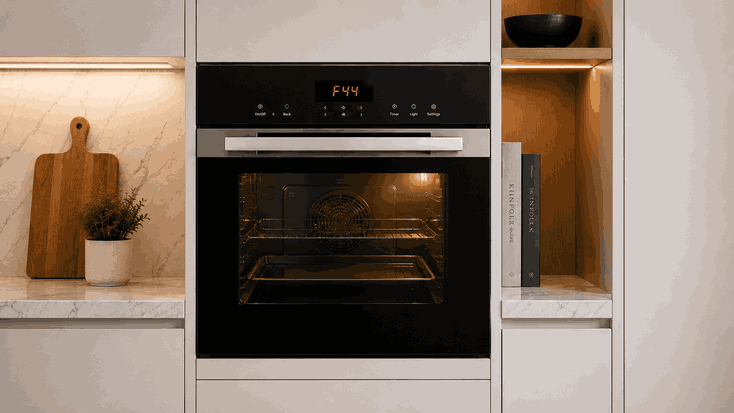
A Wolf oven communication error or RS485 network problem usually means the oven control system is not exchanging signals correctly between electronic boards, the display, sensors, or operating modules. The oven may show a communication warning, fail to start a mode, reset unexpectedly, or respond slowly after a command is selected.
For San Jose homeowners, this type of fault can be confusing because the oven may still have power. The display may light up, the controls may respond partly, or one function may work while another fails. The problem is often not simple power loss. It may involve a breakdown in communication between internal control components.
A Wolf oven uses electronic communication to coordinate user input, temperature sensing, relay commands, cooling fan behavior, heating modes, and safety responses. In systems that use an RS485-style communication network, boards and modules exchange data so the oven can confirm what function was selected and which component should respond.
When that communication becomes unstable, delayed, or interrupted, the oven may not know whether the display, control board, relay board, sensor circuit, or another module is responding correctly. The result can be a communication error, failed startup, canceled cycle, or inconsistent control behavior.
Communication faults often behave differently from a simple no-heat problem. The oven may power on but fail to start bake, broil, convection, or self-clean. It may accept a command and then cancel it. The display may freeze, reset, or show an error after a delay.
If the issue appears after a power interruption, high-heat use, self-clean cycle, or repeated breaker reset, that timing matters. Heat, unstable power, or control-board stress can make electronic communication issues more noticeable.
Wolf oven communication and RS485 network problems may show signs such as:
Communication error on the display
Controls respond slowly or inconsistently
Oven accepts a mode but does not start
Display freezes, resets, or goes blank
One oven function works while another fails
Error returns after power reset
Cooling fan or relay behavior seems unusual
Oven cancels the cycle without clear heat failure
These clues help separate a touchpad issue, heating fault, power event, or internal network problem.
Some control problems begin with settings or temporary conditions. Control lock, Sabbath mode, delayed start, or a recent power interruption can make the oven appear unresponsive or out of sync.
Surface conditions can also affect input. Moisture or residue on the control panel may interfere with touch response, though it usually does not explain repeated communication errors.
Repair-level causes are different. A failed display board, main control-board fault, relay-board issue, loose internal communication harness, damaged RS485 communication path, sensor-board problem, wiring fault, or software/control corruption can cause repeated network errors.
If the same error returns after normal reset and setting checks, the oven likely needs diagnosis.
Start with safe visible checks. If the display shows a specific communication code or message, write it down before resetting the oven.
Check whether control lock, Sabbath mode, or delayed start is active. Wipe the visible control panel gently with a soft, dry cloth if there is moisture or residue.
If the breaker has tripped, reset it only once. If it trips again, stop using the oven and request service.
Note when the error appears: at startup, after selecting a mode, during preheat, after self-clean, or after the oven cools. This timing is useful during diagnosis.
Do not remove panels, pull the oven from the cabinet, inspect wiring, test voltage, unplug internal connectors, or replace boards yourself.
Resetting power may clear a communication error briefly, but it will not repair a failing board, unstable harness connection, relay fault, or internal network problem.
Repeated breaker resets can also hide the original sequence of failure. If the error appears only during certain modes or after the oven heats, that pattern matters. Continuing to reset the oven without identifying the cause can make the fault harder to trace and may increase stress on electronic controls.
Bestech Repair approaches a Wolf oven communication error or RS485 network problem by checking where the signal path breaks down. A technician can evaluate display response, user-interface input, main control-board behavior, relay-board communication, sensor feedback, wiring harness condition, cooling fan commands, and mode-specific failure patterns.
The goal is to separate a simple setting or temporary power event from a true electronic communication fault inside the oven.
Wolf ovens rely on precise electronic control for temperature, mode selection, safety systems, and premium cooking performance. When communication errors appear, the oven may become unreliable even before a heating component fully fails.
Bestech Repair provides Wolf oven repair in San Jose, including communication errors, RS485 network problems, touchpad issues, display failures, PF errors, overheating concerns, heating faults, and control-board problems.
A Wolf oven communication error or RS485 network problem may be caused by a temporary power event, control setting, display-board fault, relay-board issue, damaged communication path, wiring harness problem, sensor feedback error, or main control-board failure. Homeowners can safely check the displayed message, control settings, visible panel condition, breaker status once, and when the error appears. If the communication fault returns, professional Wolf oven diagnosis is the safer next step.
Bestech Repair – San Jose, CA
📍 Address: 919 S Winchester Blvd, San Jose, CA 95128
📧 Email: office@bestechrepair.com
📞 Phone: +1-408-906-8668
🕒 Open Hours: Monday – Sunday: 8:00 AM – 8:00 PM.
Read reviews about our repair, installation and maintenance services. Our trained experts are always ready to help. To schedule your next appointment, give us a call or complete our online form.

Leave your contact details for communication with the operator, indicate a convenient date for yourself and our operators will contact you or call us: