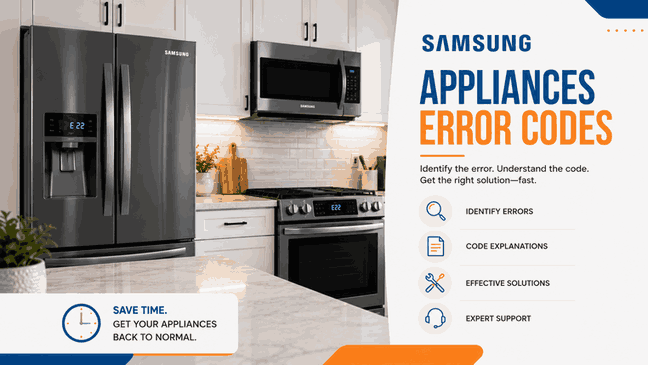
A Samsung error code usually becomes easier to understand when it is connected to what the appliance is actually doing. The display may show only a short warning, but the real problem often appears through daily use. A washer may stop before the cycle finishes. A dishwasher may leave water behind. A refrigerator may still run while cooling becomes less stable. A dryer may tumble without heating normally. A range, wall oven, or microwave may power on but stop responding the way it should.
For homeowners in San Jose and across the Bay Area, these alerts are best read as system warnings tied to appliance performance, not final diagnoses. In many cases, the code does not identify one exact failed part by itself. Instead, it points to the function that is losing stability. That may involve water supply, draining, door detection, sensing, heating, control communication, or unstable power.
Many Samsung appliances begin showing trouble before they fully stop working. The unit may still turn on and perform part of its normal job, but reliability is already changing. That is often when repeated codes begin appearing.
A one-time warning can sometimes follow a brief interruption. A code that keeps returning usually means more. In practical home use, repeated Samsung warnings often fall into a few larger patterns: water movement problems, door or lock issues, cooling instability, heat-related faults, and electronic communication errors. Once the same message keeps coming back, the main question becomes whether the appliance can still be trusted in normal use.
For Samsung washers, the main code family in this text is:
1E / LE / 1C / LC / LC1 / 1 1C / 1 LC / 4C / 1 4C / nF / 4E / nd / 5E / SE / 5C / SC / 1 5C / OE / 0E / OC / 0C / 1 OC / 1 0C / 9C1 / 9C2 / PF / 3E / 2E / 9E1 / 9E2 / UC / 19C1 / 19C2 / dS / d5 / FL / LO / L0 / dE / dE1 / dE2 / dC / dC1 / dL / 1 dC / 1dC4 / 1dC1
These alerts usually point to water-level issues, leaking conditions, failed filling, drain trouble, overflow, door-lock faults, or unstable voltage. In daily use, that may look like a washer that pauses mid-cycle, will not drain out, refuses to start, or cannot lock the door correctly.
Another washer-related pattern may include:
E2 / bE2 / 6E2 / BE2 / 8E2
For Samsung dishwashers, one of the most useful groups is:
3C / 3E / 4C / 4E / 5C / SC / 5E / SE / 9E
These alerts usually point to water-supply trouble, poor draining, pump-related issues, or water-level problems. In home use, that may show up as a dishwasher that will not fill correctly, leaves water behind, or stops before the cycle finishes.
Filter or heater-related code: 1E / IE
WaterWall reflector code: 7E
What links these laundry and cleanup warnings together is the loss of normal cycle flow. The appliance may still have power, but it may no longer fill, drain, lock, or continue the program the way it should.
For Samsung refrigerators, the central family is:
21E / 22E / 22C / 41 / 42 / 41C / 88 88 / 83E / 85E / 86E / PC ER / PC CH / 5E
These alerts often point to fan problems, defrost issues, communication faults between components, display or software irregularities, or electrical-event errors. In practice, that may show up as weak cooling, unstable temperatures, odd display behavior, or a refrigerator problem that keeps returning after restart.
For Samsung dryers, the main group is:
9C1 / 9E / 2E / 9E1 / dC / dE / dF / do / d0 / 1 DC / 1 dF / tS / t5 / tC / tO / t0 / tE / tE3 / tC5 / tCS / 1 tC / 1tC5 / 1tCS / HC / hE / HC4 / 1 HC / AC / Et / AE / EEE / AE4 / AE3 / AE5 / E3 / 1 AC / FC / FE / 1 FC
These warnings can point to power issues, door-switch problems, temperature-sensor faults, heating or overheating conditions, communication errors, or power-frequency mismatch. In everyday use, that may mean no heat, repeated stopping, or a dryer that never finishes properly.
Jammed button codes: bE / bE2 / bC2 / 6E / 6E2 / 6C2
Vent-test drum code: C1 / CL1
These alerts matter quickly because one affects food storage and the other affects normal drying performance.
For Samsung ranges and wall ovens, the main group is:
door / C-F0 / all other error codes
These warnings often relate to door recognition, internal communication between boards, or another control or sensor issue. If the same alert keeps returning after restart, the appliance usually needs more than another reset attempt.
For Samsung microwaves, the central family is:
C-10 / C-11 / C-12 / C-20 / C-21 / C-22 / C-70 / C-71 / C-72 / C-A0 / C-A1 / C-A2 / C-d0 / C-d1 / C-d2 / C-F0 / C-F1 / C-F2 / E-01
These alerts usually point to sensor faults, door-detection issues, control problems, communication errors, or general function failures. In practical use, that may mean the microwave stops heating correctly, shows repeat faults, or will not run as expected.
What makes these cooking-appliance warnings important is the loss of predictability. The appliance may still power on, but once sensors, doors, or internal controls become unstable, normal use becomes harder to trust.
The best first step is to compare the code with what the appliance is actually doing.
If the washer is not draining, the dishwasher is leaving water behind, the refrigerator is losing stable cooling, the dryer is not heating correctly, or the cooking appliance is beeping, rejecting commands, or stopping unexpectedly, the appliance is already showing the real context behind the warning.
A repeated Samsung alert usually means more than a brief interruption. It often shows that one of the appliance’s key systems is losing stability.
Samsung error codes are most useful when they are treated as early signs of changing appliance dependability. They may not identify the exact failed component by themselves, but they often show which function is under stress and whether the unit can still be trusted in everyday use.
For customers in San Jose and throughout the Bay Area, professional in-home service can help connect the recurring code to the symptom the appliance is actually showing, identify why the warning keeps returning, and determine the next repair step.
📍 Address: 919 S Winchester Blvd, San Jose, CA 95128
📧 Email: office@bestechrepair.com
☎️ Phone: (408) 906-8668
This Samsung appliance error code table organizes each Samsung fault code by appliance type, listed meaning, initial check, technician service note, and related help when available. It includes Samsung washer, dishwasher, refrigerator, dryer, range, wall oven, and microwave error codes, so each display message can be matched with the correct table row and reviewed with Samsung’s official Washer Error Codes, Dishwasher Error Codes, and Refrigerator Error Codes resources.
| Error Code | Appliance | Meaning | Safe first steps | Technician required | Related help |
|---|---|---|---|---|---|
| 5E | Refrigerator | Fridge defrost sensor error. | Do not unplug unless directed. Note the code and request service. | Yes — service is recommended. | |
| 8E | Refrigerator | Ice maker (freezer) sensor error. | Do not unplug unless directed. Note the code and request service. | Yes — service is recommended. | |
| 14E | Refrigerator | Ice maker sensor error. | Do not unplug unless directed. Note the code and request service. | Yes — service is recommended. | |
| 8E / 8E1 / 8E2 / BE / BE1 / BE2 / 8C / BC / 8C1 / 8C2 / BC1 / BC2 / 1 8C / 1 BC / 18C1 / 1BC1 / 18C2 / 1BC2 | Washer | MEMS / vibration sensor error. | Power the washer off for 2–3 minutes, power it back on, and restart the cycle. Check the user manual when BE2 / 8E2 could also mean a jammed button. | Yes — if the error returns. | |
| tE / tE1 / tC | Washer | Temperature sensor error. | Power the washer off for 2–3 minutes, power it back on, and restart the cycle. | Yes — if the error returns. | |
| 7E | Dishwasher | WaterWall reflector error. | Check Samsung's WaterWall reflector guide for blockage or misalignment and correct any simple obstruction. | Yes — if the reflector still cannot move correctly. | |
| 9E | Dishwasher | Low water level error. | Empty the dishwasher, add detergent, and run a Normal cycle. If needed, shut off power at the breaker before further service. | Yes — if the error still occurs. | |
| bE / 6E | Dishwasher | Button error / stuck key. | Turn the dishwasher off and press each button on the panel to confirm none is stuck. | Yes — if buttons do not work correctly or the code returns. | |
| 3C | Dryer | Motor error. | Power off for 2–3 minutes, power back on, and restart the cycle. | Yes — if the error returns. | |
| oD | Dryer | Dry time error. | Power off for 2–3 minutes, power back on, and restart the cycle. | Yes — if the error returns. | |
| 1 AC7 | Dryer | Electronic control error. | Power off for 2–3 minutes, power back on, and restart the cycle. | Yes — if the error returns. | |
| C-F0 | Ranges Wall Ovens | Communication error between electronic components. | Reset power. On certain induction range models, connect to SmartThings and apply the Samsung firmware update if available. | Yes — if the unit cannot be updated or the error remains after the update. |
Read reviews about our repair, installation and maintenance services. Our trained experts are always ready to help. To schedule your next appointment, give us a call or complete our online form.

Leave your contact details for communication with the operator, indicate a convenient date for yourself and our operators will contact you or call us: